aliashori78 / MP3 Player Pro

🎵 MP3 Player Pro



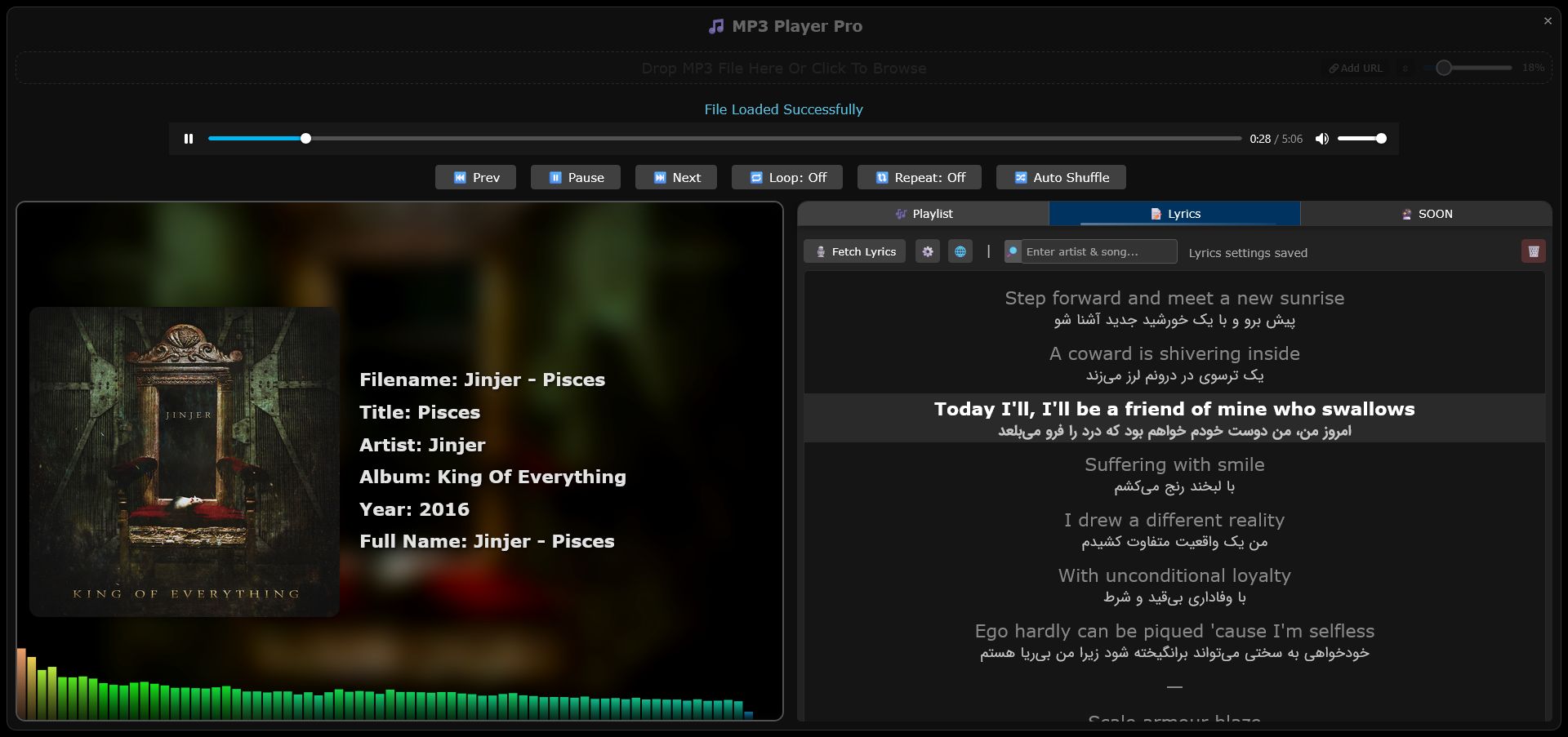
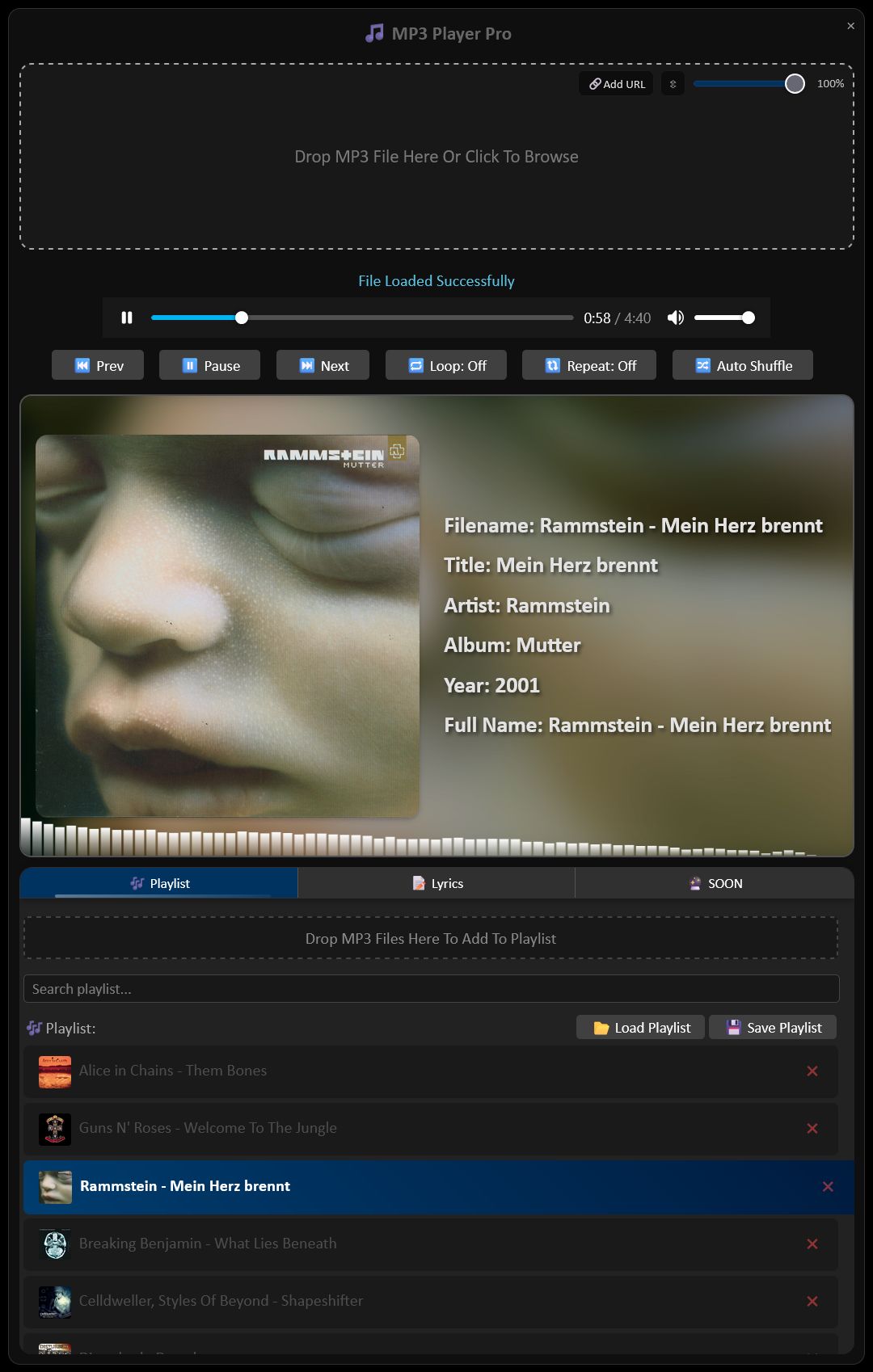
MP3 Player Pro is a lightweight, high-performance browser-based audio controller. Designed as a UserScript, it injects a professional-grade music player into any website, allowing you to manage your local music library directly within your browser tabs. It transforms any tab into a music workstation with advanced features like AI-powered lyric translation and drag-and-drop playlist management.
✨ Key Features
📂 Instant Drag-and-Drop
Forget complex file explorers. Simply grab your audio files from your computer and drop them anywhere on your browser tab to start an instant playback session.
🎧 Seamless Playback
- Drag-and-Drop: Just drop your
.mp3or.wavfiles anywhere on the page to start your session. - Floating UI: A sleek, modern player that stays on top. Position it anywhere with smooth dragging.
- Playlist Management: Automatically build and manage a temporary playlist of dropped files.
🤖 Synchronized Lyrics & AI Translation
Experience your music like never before and never miss a word. MP3 Player Pro isn't just a player; it's a translator!
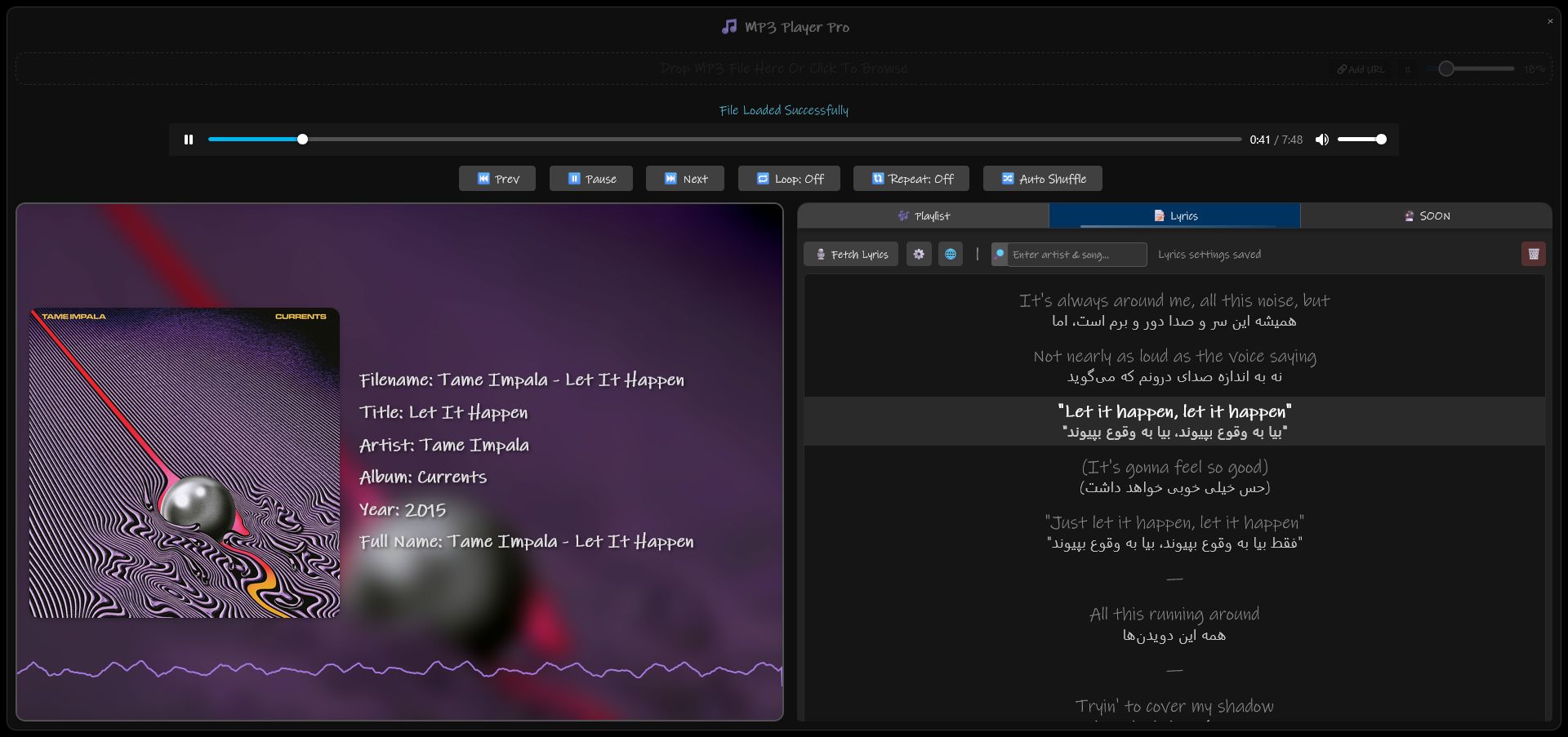
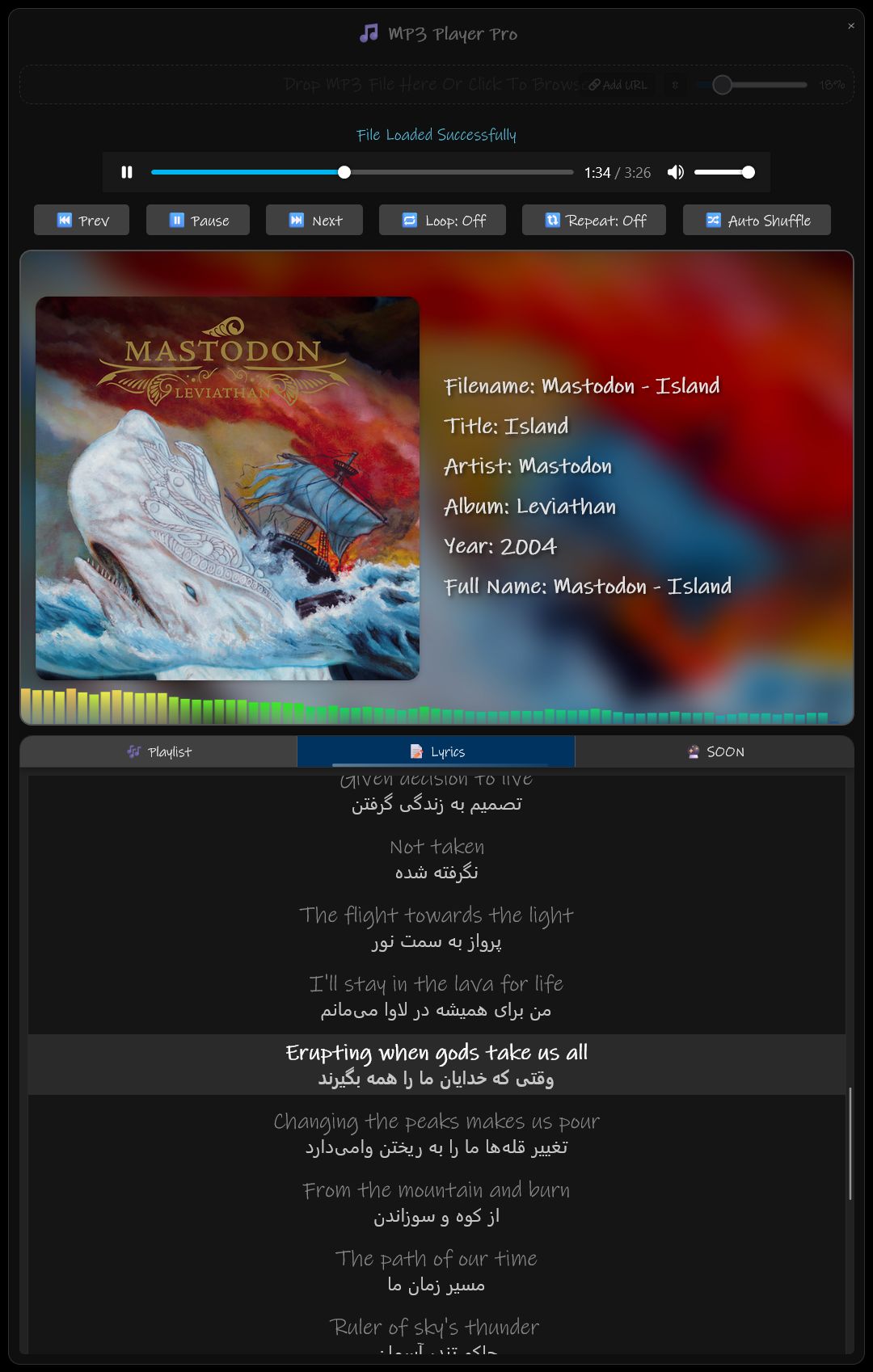
- Real-time Sync: Lyrics follow the music in real-time. Automatically detects and scrolls lyrics based on audio timestamps.
- AI Translation: Toggle between the original language and real-time translations. Perfect for learning new languages through music.
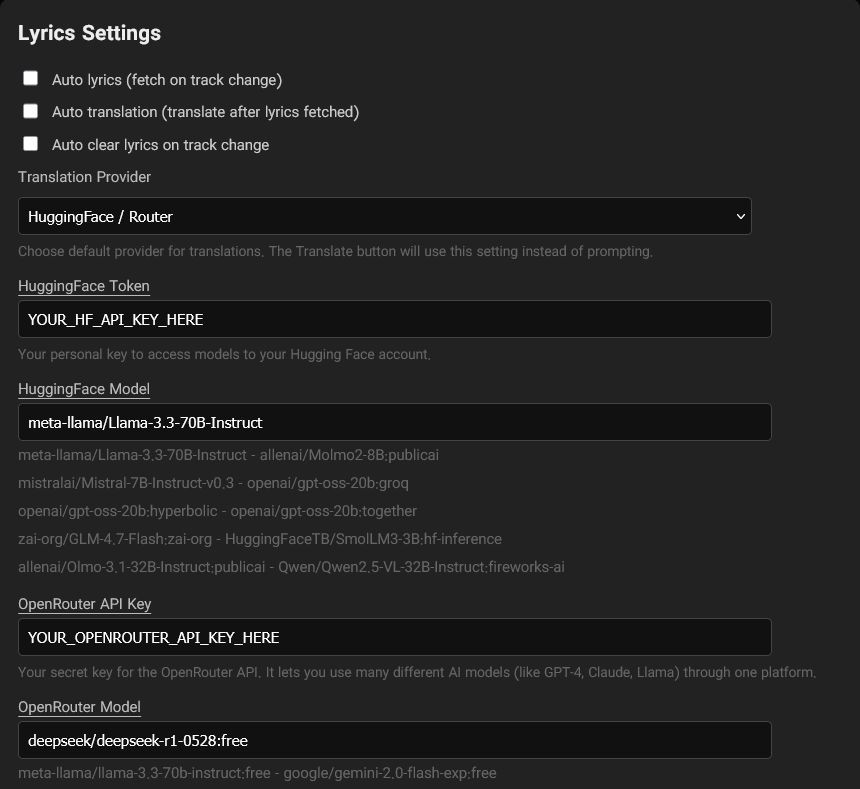
- Multi-Language Support: Instant translation of lyrics into multiple languages, making it perfect for foreign language music lovers. Choose your preferred AI backend for lyric translations:
- Google (Public): Reliable and fast global translations.
- HuggingFace / Router: Great for open-source model enthusiasts.
- OpenRouter: Access premium LLMs for high-quality contextual translations.
- Translation Management: Select your target language for AI-driven translations.
- Support for .LRC: Optimized for standard lyric formats.
 |
 |
🎚️ Advanced Visualizer (Equalizer) (Web Audio API)
Take control of your sound. The player utilizes the browser's native AudioContext to provide:
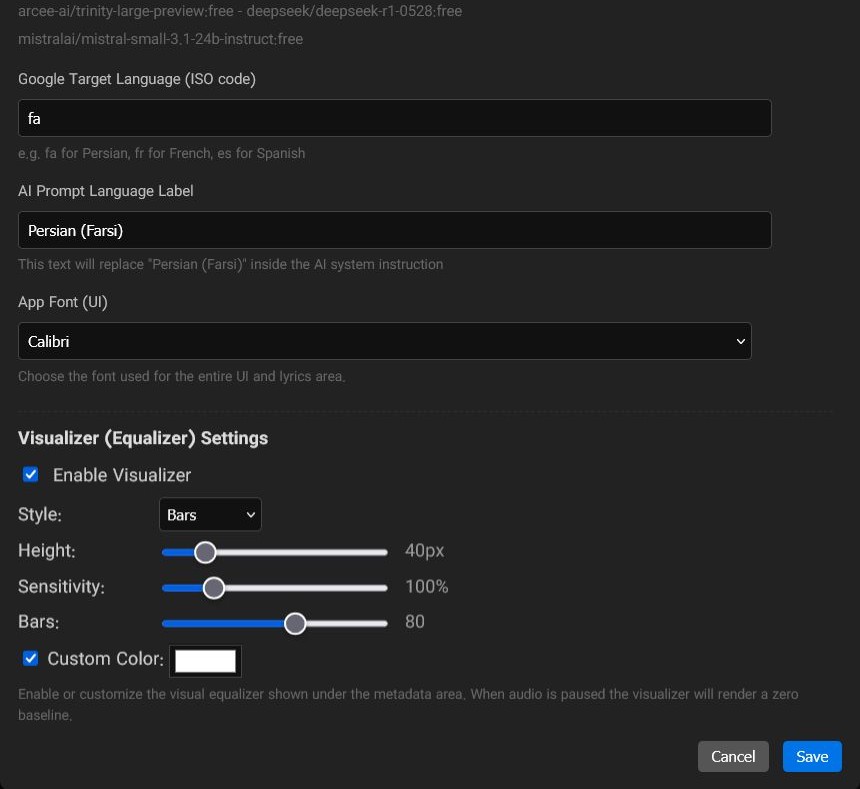
- Multiple Styles: Switch between Bars, Waveform, or Radial views.
- Granular Control: Adjust visualizer Height, Sensitivity, and the number of Bars.
- Frequency Shaping: Balance your bass, mids, and treble for the perfect acoustic experience.
- Custom Aesthetics: Define your own colors to match your browser theme.
- Optimized Output: High-fidelity playback with minimal latency.
🎶 Smart Playlist Management
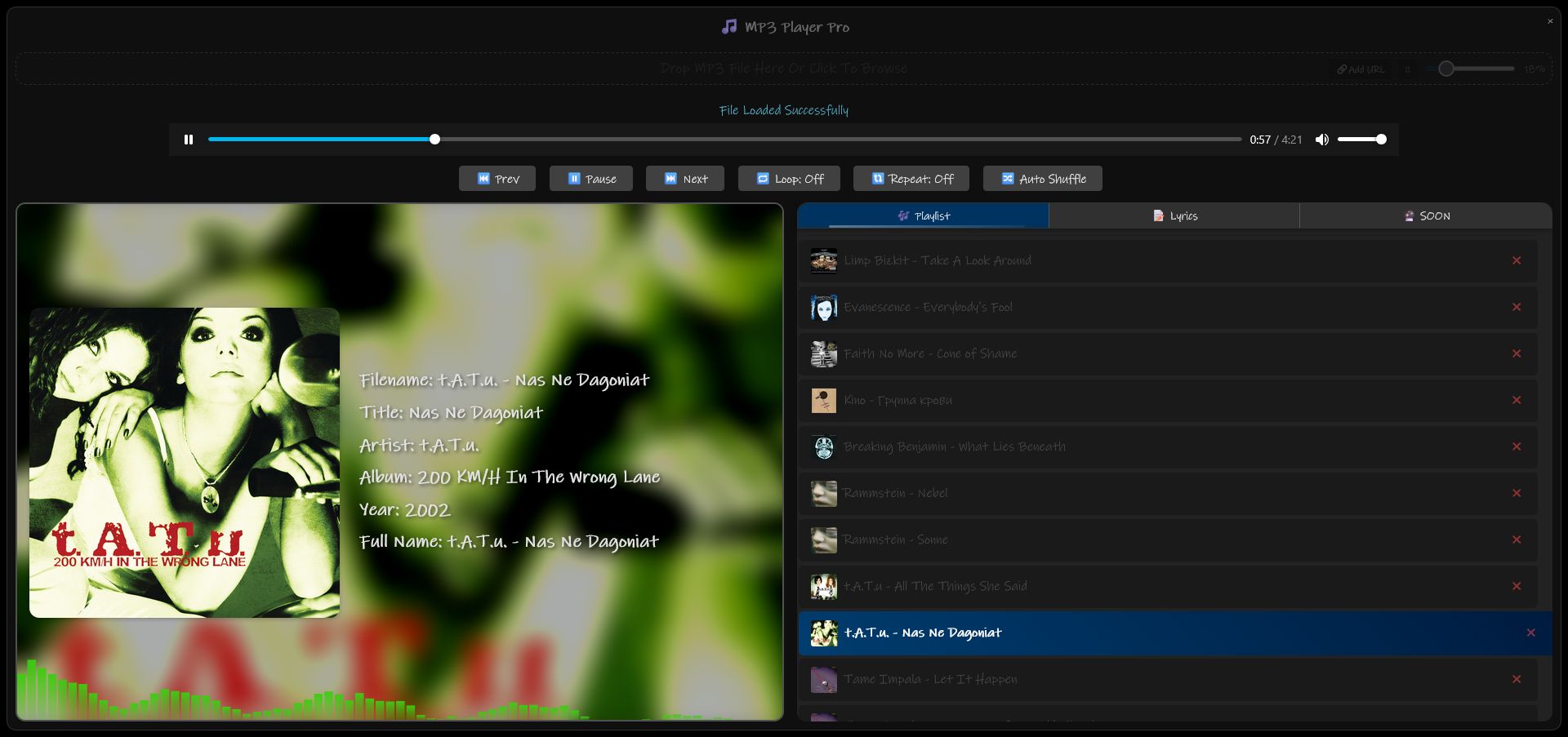
- Bulk Import: Drag and drop entire music folders directly into the tab.
- Dynamic Re-ordering: Tracks are automatically indexed and displayed in an interactive playlist.
- Queue Control: View your entire list in the visual playlist drawer.
- Auto-Play: Seamlessly skips to the next track once the current one ends.
- Seamlessly transition between tracks.
- Visual playlist rendering for easy navigation.
- Lightweight memory footprint, ensuring your browser remains fast.
 |
 |
🚀 Installation
- Install a UserScript Manager:
- Tampermonkey (Recommended)
- Greasemonkey
- Add the Script:
- Copy the content of
MP3 Player Pro.js. - Open your UserScript manager dashboard and create a "New Script".
- Paste the code and save.
- Copy the content of
- Enjoy: Refresh any tab, and the player container will be ready for your music!
🛠️ Technical Overview
The script is built using modern JavaScript patterns to ensure compatibility and performance:
- Engine: Built using JavaScript ES6+ and jQuery.
- Rendering: Optimized CSS3 transforms for the draggable container.
- Audio API: Utilizes standard browser audio hooks for wide-range format support (MP3, WAV, OGG).
- Smoothness: Implements
DOMMatrixfor precise UI positioning andrequestAnimationFramefor high-refresh-rate dragging animations. - Hardware Accelerated: Uses
requestAnimationFrameandDOMMatrixfor high-performance UI transitions and zero-lag dragging. - Universal Compatibility: Works on almost any website via Tampermonkey, Greasemonkey, or Violentmonkey.
- File Support:
.mp3,.wav,.ogg,.m4a - UI Framework: Draggable floating container system
- Metadata Handling: Automatically parses metadata for synchronized lyric display.
- Smooth Dragging: Powered by
requestAnimationFramefor a 60FPS floating experience. - Custom Fonts: Select your preferred App Font directly from the UI settings.
- Sensitivity Slider/Input Control: how the visualizer reacts to bass and treble.
 |
 |
📝 Configuration & Usage
- Opening the Player: The player appears as a container (ID:
#mp3ViewerContainer). - Adding Tracks: Drag
.mp3or compatible files onto the page. - Moving the Player: Click and hold the header or the container background to drag.
- Lyrics: If the audio file contains metadata or a synced
.lrcfile is available, lyrics will display automatically.
📜 License
This project is licensed under the GNU AGPLv3 - see the script header for details.
👤 Author
Ali Ashori 🌐 Website
📧 Feel free to reach out for suggestions or bug reports!
Note: This script is intended for personal use and to enhance the browsing experience. Always ensure you have the rights to the music you play.
Rating: 0